Skip to content
What is a Query ID in Elementor
- Elementor Pro’s Posts widget lets you optionally assign a Query ID.
- This Query ID is used for dynamic filters, Ajax loading, or custom code hooks.
- Default Elementor Post queries don’t have an ID unless you set it.
How to set a Query ID in Elementor
- Edit your page with Elementor Pro.
- Add the Posts widget (or Archive Posts widget).
- Go to Content → Query → Advanced (or “Custom Query” in some versions).
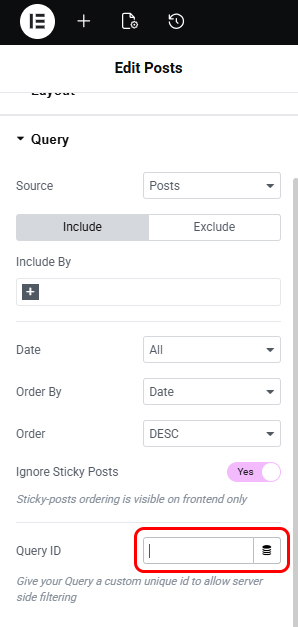
- Look for Query ID field:
- Type any string, e.g.
my_custom_query.
- This ID will now be accessible for Ajax Load More, JetSmartFilters, or hooks.